IAAPA Expo brings together thousands of attractions industry professionals, solution providers, and technology companies. If you are searching for new family entertainment center software, it is one of the best opportunities to compare platforms, ask detailed questions, and see how different systems work.
However, an impressive demonstration does not always reveal how well a platform will support your business during a busy Saturday, a packed birthday party schedule, or a major seasonal event.
The right solution should support your most important guest and operational workflows, provide useful business information, and come with the training and ongoing support your team needs. Before walking the IAAPA Expo 2026 show floor, use this guide to determine what to look for and which questions to ask.
What Should You Look for in Family Entertainment Center Software?
Look for software that fits the way your venue operates today while giving you room to adapt as your business changes. The platform should support relevant workflows such as party reservations, attraction ticketing, on-site sales, digital waivers, memberships, reporting, and resource management. You should also evaluate implementation, training, ongoing support, and the provider’s experience working with entertainment businesses.
Key Takeaways
- Start with your venue’s workflows and challenges, not a vendor’s feature list.
- Ask for demonstrations based on realistic guest and staff scenarios.
- Evaluate Online Booking and Ticketing as separate but potentially connected needs.
- Confirm which products, services, support options, and costs are included.
- Choose a provider that understands entertainment operations and can support your team beyond the initial sale.
1. Industry Experience
Family entertainment centers have operational needs that are different from those of traditional retail stores, restaurants, or appointment-based businesses.
Depending on your venue, your team may need to coordinate party rooms, attractions, time slots, waivers, group events, memberships, food and beverage purchases, and employee schedules. Software that is not built with these workflows in mind can create unnecessary work for your staff.
When speaking with software providers at IAAPA Expo, ask:
- What types of entertainment businesses use your software?
- Does your team have firsthand attractions industry experience?
- How does the platform support parties, groups, attractions, and events?
- Can it accommodate businesses with several attraction types?
- How does it help staff manage busy check-in periods?
A provider that understands the industry should be able to walk through specific venue scenarios rather than relying on generic retail examples.
2. Online Booking for Parties and Groups
If parties are an important part of your business, examine how the platform manages the complete reservation process.
Guests should be able to review eligible packages, choose from available dates and times, select applicable add-ons, and complete their reservation online. Your employees should also be able to locate, manage, and update reservation information without relying on disconnected systems or excessive manual work.
Ask the provider to demonstrate how your team would:
- Create and manage supported party packages
- Control available dates and times
- Assign applicable rooms or resources
- Review upcoming reservations
- Update an existing reservation
- Add eligible upgrades or add-ons
- Access important information before the party arrives
Do not stop at the guest-facing booking page. Make sure you see what the process looks like for your employees before, during, and after a reservation.
3. Ticketing for Admissions and Attractions
Online Booking and Ticketing serve different purposes.
Online Booking supports party reservations, while Ticketing supports admissions, attractions, events, and scheduled experiences. A venue offering both parties and individual attraction admission may need to evaluate both workflows.
Ticketing may be relevant for experiences such as:
- Open play
- Laser tag sessions
- Go-kart races
- VR sessions
- Glow nights
- Parents’ night out
- Seasonal events
- Meet-and-greets
- Other scheduled or availability-based activities
Provide the vendor with an example from your own facility. Ask how the platform would schedule the experience, manage availability, process the purchase, and help your employees check guests in.
Do not assume that a party-booking tool automatically supports attraction tickets. Request a demonstration of each workflow that matters to your business.
4. Point of Sale and On-Site Operations
Online sales are only one part of the guest experience. Your software should also support the transactions and workflows that take place inside your facility.
Ask the provider to demonstrate common front-desk scenarios, including:
- Processing an on-site purchase
- Locating a reservation or ticket
- Selling an eligible product or add-on
- Accessing relevant guest information
- Making an applicable change to an order
Think about how the system will perform when your venue is busy, employees are helping multiple guests, parties are arriving, and walk-in customers are purchasing admission.
Pay attention to the number of steps required to complete each task. A modern-looking dashboard is helpful, but ease of use, employee training, and day-to-day efficiency are more important.
You should also confirm hardware, payment processing, and implementation requirements. Requirements and compatibility can vary by provider.

5. Connected Tools for the Guest Journey
Family entertainment businesses may use several tools to manage interactions before, during, and after a guest’s visit.
Depending on your venue, these tools may include:
- Online Booking
- Ticketing
- Point of Sale
- Digital Waivers
- Memberships
- Gift Cards
- Online Store
- Payments
- Resource Management
- Employee Time Clock
- Reporting
- Marketing tools
Ask the provider to explain how the relevant tools work together and how information moves between them.
An all-in-one solution should be more than a long list of available products. It should help create a more connected experience for your guests and employees based on the products your business actually needs.
Party Center Software offers an all-in-one software solution for family entertainment centers and location-based entertainment businesses. Available software includes Online Booking, Ticketing, Point of Sale, Digital Waivers, Memberships, Online Store, Gift Cards, Payments, Reporting, Resource Management, and Marketing services like custom website design and digital advertising. Specific products and services depend on the solution selected by each business.
6. Reporting That Supports Better Decisions
Reporting should help you understand what is happening in your business without requiring hours of manual work.
Instead of asking whether reporting is available, bring several questions you regularly need to answer. For example:
- Which offerings are guests purchasing?
- When are guests booking or buying?
- What information can managers access?
- Can reports be filtered or exported?
- How can reporting support daily operational review?
- Can the system accommodate multiple locations, if applicable?
Ask the software provider to show you how the platform would answer those questions.
The goal is not to find the platform with the longest list of reports. Look for reporting that gives your team useful information in a format they can understand and apply.
7. Implementation, Training, and Support
Even the most capable software will create challenges if your team does not receive the guidance needed to implement and use it.
Ask each provider:
- What does onboarding involve?
- Who will guide our team through setup?
- What information will we need to provide?
- What training is available?
- Is training included or available at an additional cost?
- How is ongoing support handled?
- When is support available?
- Will we have a consistent point of contact?
- How are questions handled after launch?
- What happens when our business needs change?
Support is often overlooked during a feature-focused demonstration, but it can significantly affect your team’s overall experience.
Party Center Software combines entertainment operations experience with software, marketing, business growth, and customer success expertise. PCS works alongside its customers as a dedicated growth partner, providing practical solutions and personalized support based on each business’s goals.
8. Flexibility for Your Venue and Future Plans
Your business may not operate the same way two or three years from now.
You could add an attraction, introduce memberships, expand your event schedule, change your party packages, or open another location. Ask how the software can accommodate change without assuming that every future capability will automatically be included.
Questions to consider include:
- Can the software support our current venue model?
- How does it accommodate seasonal events or changing schedules?
- Can we add relevant products or capabilities later?
- How would the system support another location?
- What happens when we introduce a new attraction?
- How are software updates communicated?
- What additional costs or agreements might apply?
Look for software that supports your current priorities while giving you a clear path for evaluating future needs.
9. Transparent Packages and Pricing
Before comparing software proposals, make sure you understand what each provider is offering.
Request a written breakdown that identifies:
- Included software products
- onboarding and setup costs
- Training and ongoing support
- Payment-related requirements
- Hardware requirements
- Contract terms
- Usage or location-based limitations
- Products or services that require a separate agreement
Similar product names can describe very different capabilities. Ask representatives to explain unfamiliar terminology and demonstrate the functions that are most important to your business.
A detailed proposal will help you compare providers based on your requirements rather than choosing the package with the longest feature list.
Questions to Ask Software Providers at IAAPA Expo 2026
Bring this checklist when you meet with software exhibitors:
- What types of entertainment venues does your software support?
- Can you demonstrate a complete party reservation from the guest and staff perspectives?
- How do Online Booking and Ticketing differ in your platform?
- How does the software support front-desk transactions and check-in?
- Which tools work together, and which operate separately?
- How does the platform manage schedules, and resources?
- What reporting is available to owners and managers?
- What does onboarding typically involve?
- What training and ongoing support are provided?
- Which products and services are included in the proposal?
- What hardware, payment, or third-party requirements should we understand?
- How can the solution adapt as our venue changes?
- Who will support our team after the initial sale?
Before attending a demonstration, prepare a few real examples from your venue. These could include a birthday party reservation, an open-play ticket purchase, a digital waiver, a group check-in, or a report your management team uses regularly.
A realistic demonstration will tell you much more than a standard product tour.
Visit Party Center Software at IAAPA Expo 2026
The right family entertainment center software should support the complete guest experience while making everyday tasks more manageable for your team.
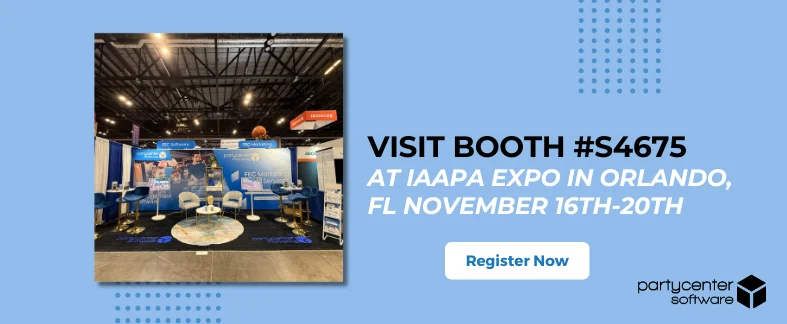
At IAAPA Expo 2026, visit Party Center Software at booth S4675 to learn more about an all-in-one software solution built for family entertainment centers and location-based entertainment businesses.
Bring your questions, operational challenges, and plans for the future. The PCS team can demonstrate relevant capabilities and help you explore which solutions align with your venue.
Visit PCS at Booth S4675
See how Party Center Software can support your bookings, ticketing, on-site operations, guest experience, and business goals.